My Role: Solo project
Engine: Unity
Steam page link (opens new tab)This is one of my solo projects that I begin working on in February 2025 and released on February 2026 to Steam. It's a challenging driving game in which you pickup packages, deliver them, and escape the death zone.
The tire instability problem
I implemented custom vehicle physics/tire dynamics for this game and the most challenging part was getting stable tire forces. The game is made with Unity and uses the default 50hz physics update frequency and while I experimented with increasing the update frequency until the simulation became stable, the performance penalty meant that I had to look for another way.
I wrote some basic debug code to visualize the forces and whatnot and it became apparent that the instability was at its worst in low speed situations and the culprit was how the slip ratio is calculated. In summary, at low speed the denominator became very large resulting in the slip ratio alternating between large negative and positive values.
I looked to the internet to see how other people had solved this issue, and there were suggestions such as using Runge-Kutta methods but I eventually settled on damping the slip ratio values at low speeds and using "friction clamps" as talked about in this GDC talk about Just Cause 4's tire dynamics: youtube link (opens new tab)
Wheel collision detection
Video demonstrating full cylindrical-shaped wheel collision with no sudden or discrete changes in suspension length
In the earlier stages of the game, I used a single raycast down the center of each wheel to detect collisions. This worked great for a surprisingly long amount of time, until the game evolved and sections requiring slow and precise driving came about.
At that point, I switched to a multi-raycast solution for each wheel. This almost worked, but the problem was that the raycasts only checked collisions from the back of the wheel to the front, the width was not considered. Instead of adding more raycasts which went along the width of the wheel, I switched to a cylindrical shape cast using Unity's SweepTest function.
Besides working extremely well in all situations, the cherry on top was that there was virtually no performance difference between this and the previous multi-raycast method (which used 7-13 raycasts per wheel) as confirmed through extensive profiling.
The death zone
Another interesting feature that I implemented for this game is the death zone system.
Here's how it works:
- I first run a script to generate a smooth gradient along the length of the road (including curves) to dictate the shape and progression of the death zone and store it in the red channel of a texture:
- The script also calculates the lateral distance of each point from the center of the road and stores it in the green channel:
- The final combined texture is then fed to two shaders: one which produces the visuals, and the other, a compute shader, which checks if an object is inside the death zone or not:
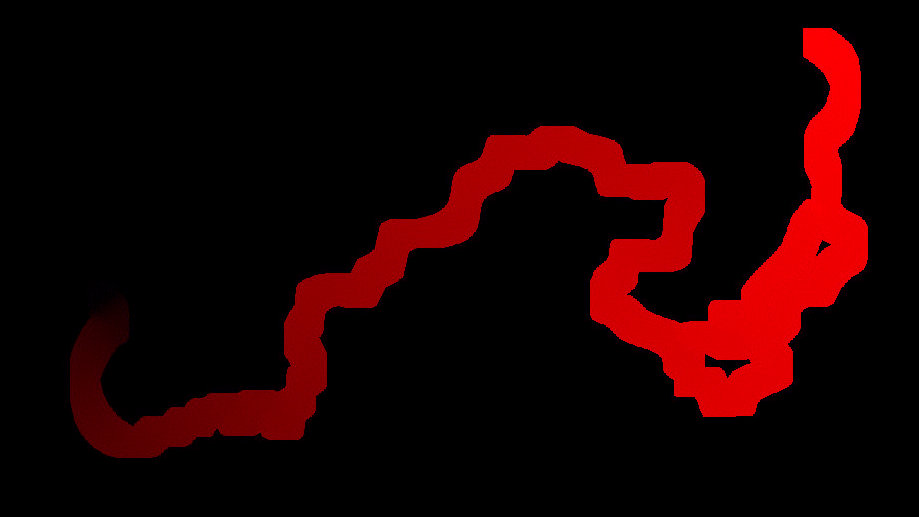
To give an example of how this is used: if the death zone has progressed 50%, then the values below 0.5 in the red channel are considered to be in the death zone.
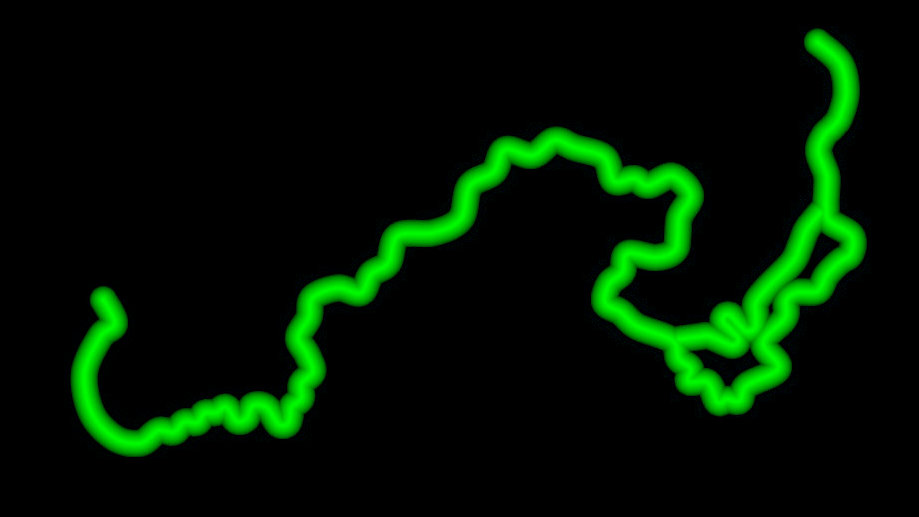
This data is then used by the shader to produce effects, such as the highlighted borders seen in the video above.
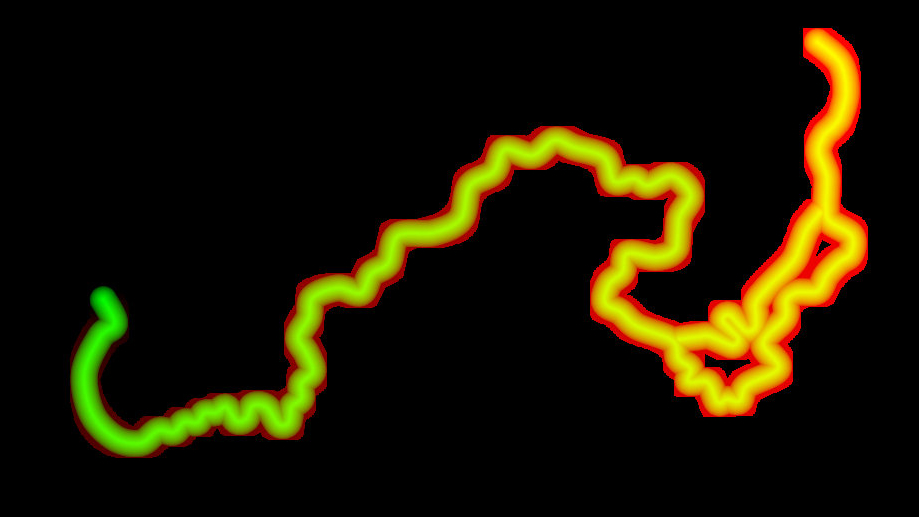
Both of these shaders use the same HLSL functions so that we get 100% consistency between the visuals and when the game considers something to be inside the death zone to apply damange and such.